
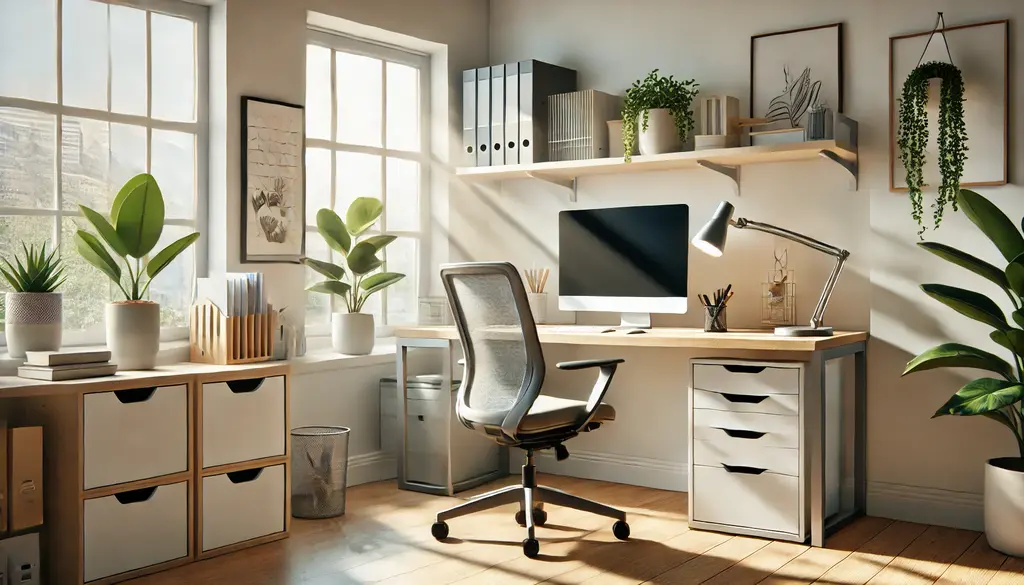
The home office has become an integral part of modern life. Whether you work remotely full-time or occasionally bring tasks home, having a space that fosters productivity and comfort is essential. The good news is that designing an effective home office doesn’t require a huge budget or a large amount of space. It simply requires thoughtful planning and a few smart strategies. In this guide, we’ll dive deep into the best ways to create a home office setup that helps you stay focused, organized, and energized.
Learn more: What Homeowners Need to Know About Burglar Deterrents
Tips for Creating a Productive Home Office Setup
Here are some top tips for creating a productive home office setup:
1. Choose a Dedicated Workspace
The first step in creating a productive home office is selecting a specific area where work happens. Ideally, this should be a quiet corner or room in your home where you can focus without distractions. Avoid working in areas like the kitchen or living room, as these spaces are often associated with relaxation or social activities.
If you don’t have a spare room to dedicate to an office, don’t worry. Even a well-organized nook can work wonders. The key is to make it clear—to yourself and others in your household—that this is your designated work area. Using furniture like a small desk or divider can help define the space and keep it separate from the rest of your living area. Creating a psychological boundary between your work and personal life can significantly improve focus and productivity.
2. Invest in Ergonomic Furniture
Your comfort is non-negotiable when it comes to designing a home office. Sitting for extended periods can lead to back pain, neck strain, and other physical discomforts if you’re not using the right furniture. That’s why investing in ergonomic pieces is essential.
Start with a high-quality chair that offers lumbar support and encourages proper posture. Your feet should rest flat on the ground, and your knees should be at a 90-degree angle. Pair this with a desk that’s the correct height to prevent wrist strain while typing. Adjustable desks, which allow you to alternate between sitting and standing, are becoming increasingly popular and can help reduce the health risks associated with prolonged sitting.
Additionally, consider ergonomic accessories like a wristrest, a footrest, or a laptop stand to further enhance your workspace. These small adjustments can make a big difference in your comfort and overall productivity.
3. Optimize Lighting
Lighting plays a significant role in how well you perform in your home office. Poor lighting can cause eye strain, and fatigue, and even affect your mood. Ideally, you want a mix of natural and artificial lighting that’s easy on your eyes.
Position your desk near a window to take advantage of natural light. Sunlight not only brightens up your workspace but also boosts your energy and productivity levels. However, be mindful of glare on your computer screen; using blinds or curtains can help you control the amount of light entering the room.
For artificial lighting, a combination of ambient and task lighting works best. Use a desk lamp with adjustable brightness to illuminate your work area, and opt for warm LED bulbs to create a comfortable and inviting atmosphere.
4. Organize Your Workspace
A cluttered desk leads to a cluttered mind. To stay productive, it’s important to keep your workspace neat and organized. Start by decluttering your desk regularly, removing items that you don’t use daily. Only keep essentials like your computer, notepad, and pen within arm’s reach.
Invest in storage solutions to keep your office supplies and documents in order. Drawer organizers, shelves, and filing cabinets are great options for minimizing clutter and ensuring everything has its place. Use cable management tools to prevent wires from becoming an eyesore. Labeling storage boxes or files can also save you time and effort when searching for specific items.
Make it a habit to tidy up your desk at the end of each workday. This simple practice can help you start fresh the next day, boosting your motivation and productivity.
5. Personalize Your Office
While functionality is key, adding personal touches to your home office can make the space more enjoyable and inspiring. Decorating your workspace with items that bring you joy—such as photos, plants, or artwork—can create a positive environment that motivates you to do your best work.
However, it’s important not to overdo it. The goal is to strike a balance between personalization and professionalism. For example, a small potted plant or a motivational quote on the wall can brighten your mood without causing distractions. Choose decor elements that resonate with you and align with the overall vibe you want for your workspace.
6. Upgrade Your Technology
In a home office, having reliable technology is crucial for staying connected and productive. Invest in a high-speed internet connection to ensure seamless video calls and fast downloads. If your work involves long hours on the computer, consider upgrading to a larger monitor for better visibility and multitasking.
Other helpful tools include noise-canceling headphones, which can block out distractions and help you focus, and a good-quality webcam for virtual meetings. Don’t forget about software and apps that can streamline your workflow, such as project management tools, calendar apps, and cloud storage services.
Maintaining a backup system is also a smart move. Use an external hard drive or cloud storage to safeguard your files in case of hardware issues.
7. Establish a Routine
Finally, one of the most important aspects of a productive home office setup is maintaining a consistent routine. Without the structure of a traditional office, it’s easy to let work bleed into your personal life. Set clear working hours and stick to them as much as possible.
Take regular breaks to recharge and avoid burnout. A quick walk around the block, a few minutes of stretching, or simply stepping away from your desk can help you stay refreshed and focused. Establishing boundaries with family members or roommates can also ensure that you’re not interrupted during work hours.
By creating a predictable routine, you’ll find it easier to transition in and out of work mode, making your home office experience more efficient and enjoyable.
Conclusion
Designing a productive home office setup is all about creating a space that supports your work habits while fostering comfort and inspiration. By choosing a dedicated workspace, investing in ergonomic furniture, optimizing lighting, and maintaining an organized environment, you can set yourself up for success. Add personal touches, upgrade your technology, and stick to a routine to create a balanced and productive work-from-home experience. Remember, your home office is an extension of your professional self, so make it a place where you can thrive.